A video player for your own Jellyfin server, built to look like a 1980s computer terminal: warm phosphor glow, soft scanlines and a boot screen that types itself out.
Status:Coming soon to Apple TV
00_ON_SCREENOn screen
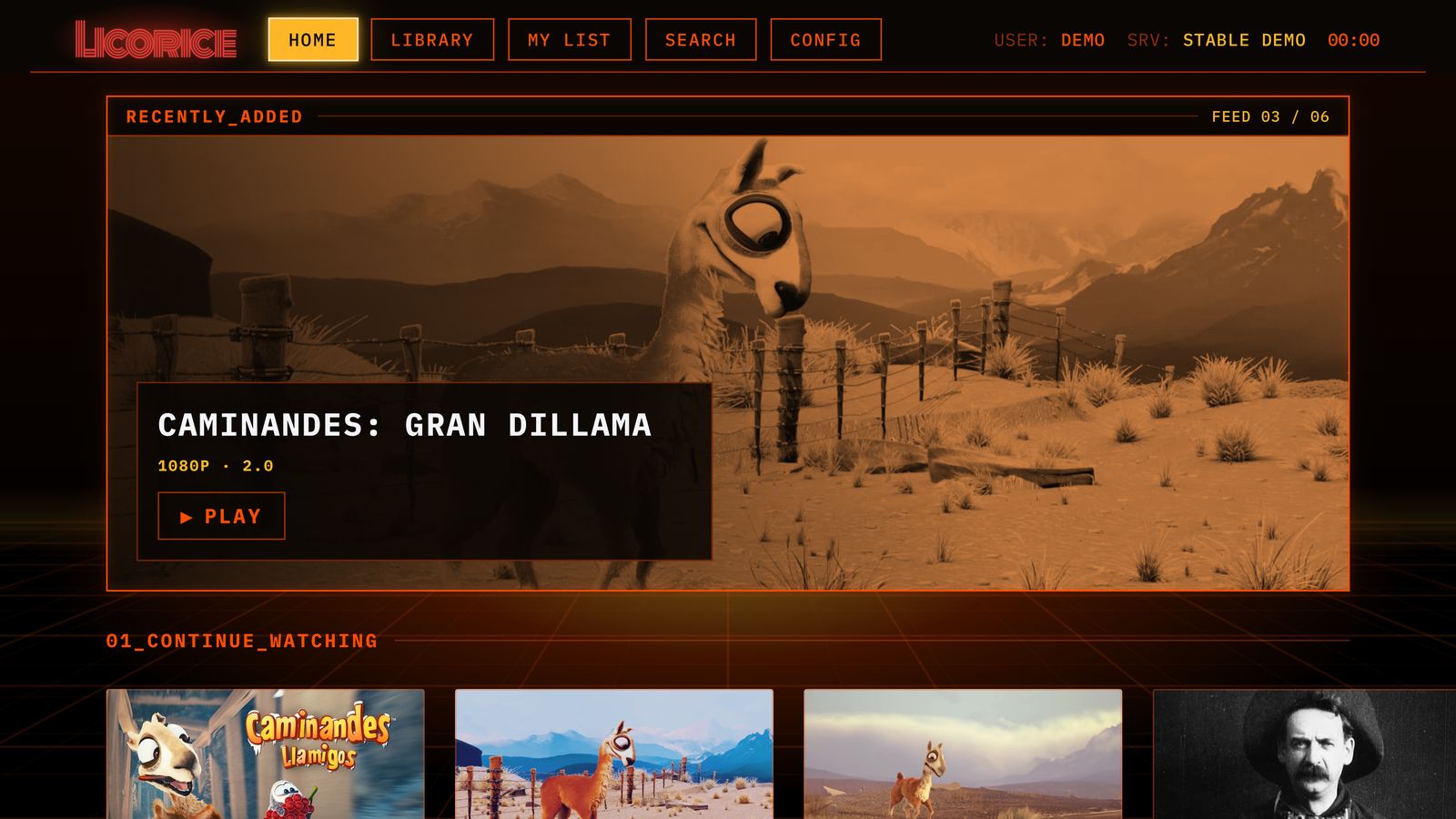
Home opens on what's new, followed by Continue Watching, Genres, Collections and Recently Added.
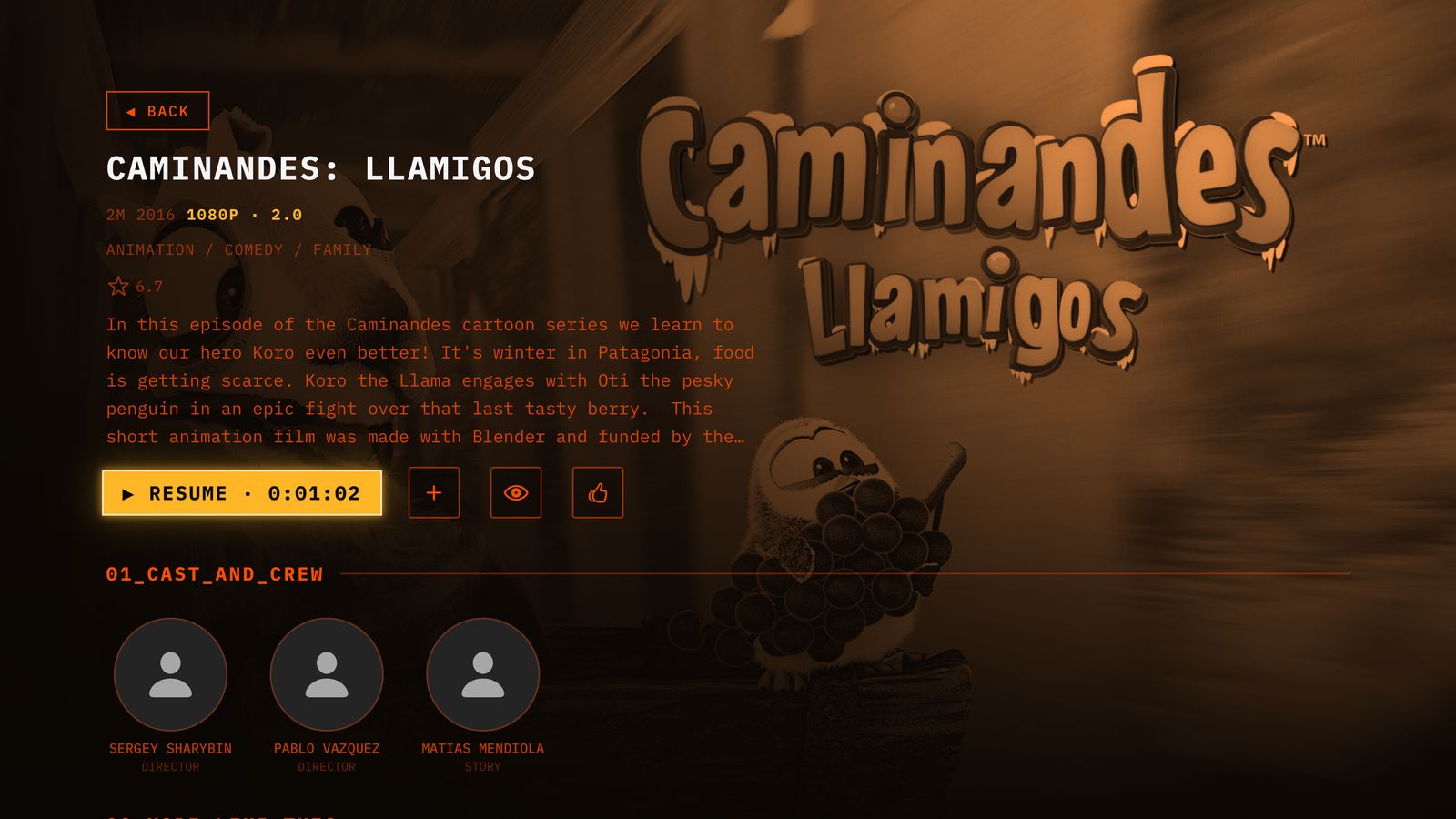
Movie pages with cast and crew. Resume points live on your server, so you pick up where you left off in any Jellyfin app.
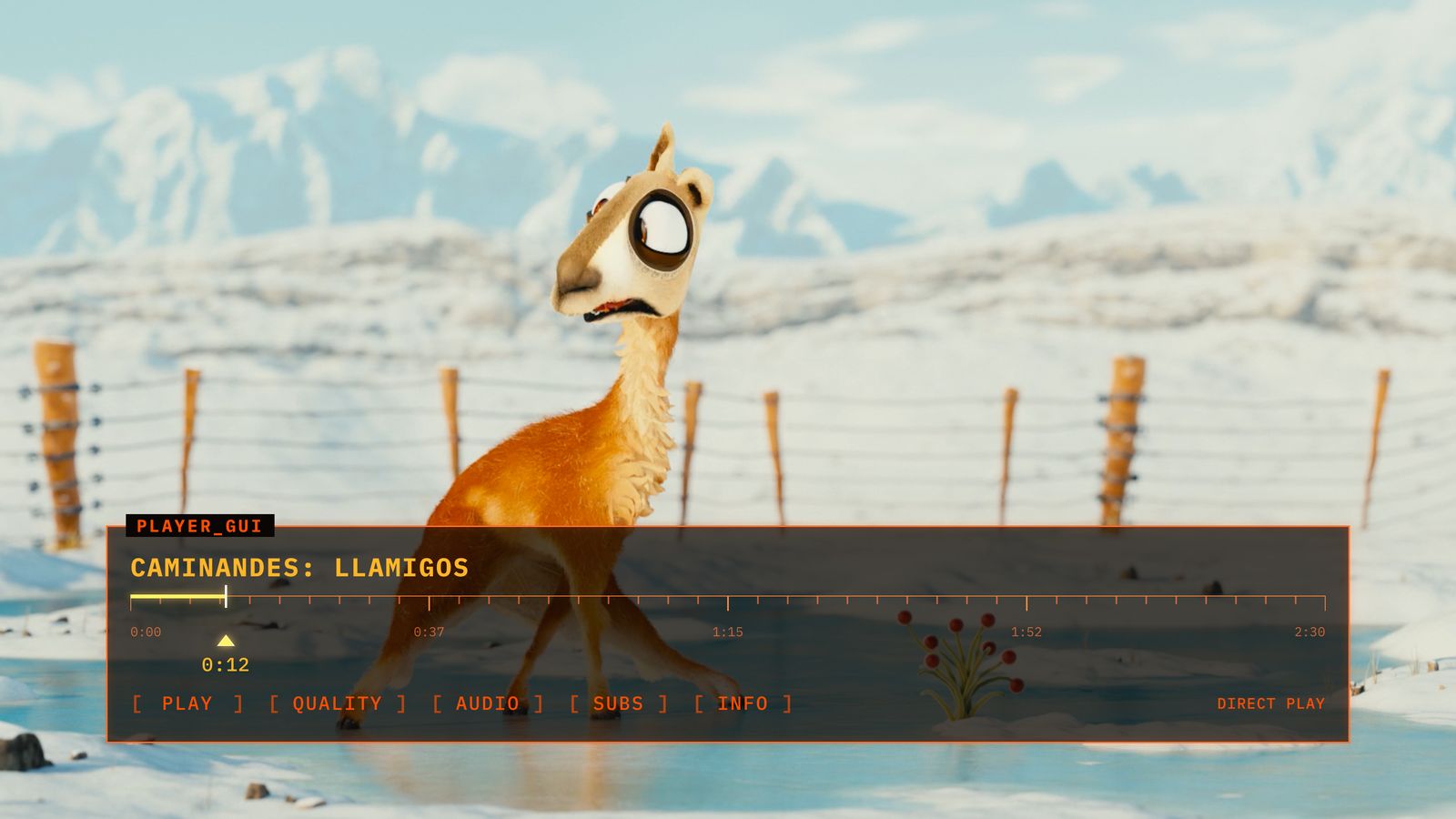
The player shows how each video reaches you: played as it is, or converted by your server.
01_BRING_YOUR_OWN_SERVERBring your own server
Licorice comes with no movies and sells none. It plays what is already on your Jellyfin server, whether you run it at home or a friend has invited you to theirs.
Licorice can find servers on your local network, or you can type an address. Sign in with your password, or with Quick Connect from a device that is already signed in.
02_YOUR_LIBRARYYour library
Home opens on what's new, followed by Continue Watching, Genres, Collections and Recently Added
Browse Movies, TV Shows, Collections and Genres, sorted by date added, title, year, duration, rating or what you've liked
My List keeps everything you mean to watch in one place
Search titles and people as you type
Show pages with every season and the next episode already picked out
Mark a title watched, like it, or add it to My List from its page
03_PLAYBACKPlayback
Resume points live on your server, so a film you stop here picks up where you left it in any other Jellyfin app
Skip Intro, wherever your server has marked one
When an episode ends, the next one counts down, and you can stop it
Auto quality plays at full quality, and steps down by itself if your connection can't keep up
Forced subtitles for foreign-language dialogue switch on by themselves
Style subtitles your way: size, color, background, typeface and weight
Choose audio and subtitle tracks, and jump between chapters
04_WHEN_SOMETHINGS_WRONGWhen something's wrong
Check Connection measures your network, how quickly your server answers and your link speed, then tells you in plain words whether a slow stream is more likely your connection or your server
Report a Problem sends a short report to your server's administrator: formats and timings, never your password or what you watched
If you administer the server, you can restart it from Licorice
05_MAKE_IT_YOURSMake it yours
Two looks: Licorice red, or Retro, the original burnt orange
The CRT flicker is a gentle pulse, never a strobe. Turn it off any time; Reduce Motion turns it off too
06_4K_AND_DOLBY_VISION4K and Dolby Vision
Everything above is free. Playing 4K and Dolby Vision at full quality is a one-time in-app purchase; without it, those titles play in HD. Dolby Vision needs a TV that supports it.
07_PRIVATE_BY_DESIGNPrivate by design
No account with us, no ads, no analytics and no tracking. Licorice talks to your server and nothing else. We never see your library, your sign-in or what you watch. Privacy policy
08_WHAT_YOU_NEEDWhat you need
An Apple TV with tvOS 26 or later, and a Jellyfin server it can reach. Jellyfin is free, open-source media server software that you run yourself: jellyfin.org.